GainStage Editorial may earn a sales commission when you buy through our audio gear links, at no additional cost to you. How GainStage Editorial earns affiliate revenue
Every home recording chain bottlenecks at the same point: the audio interface. It acts as the bridge between analog gear—such as dynamic microphones, condenser mics, and electric guitars—and the digital workspace of your computer's DAW (digital audio workstation). If that connection introduces background hiss, weak preamp output, or unstable drivers, fixing the sound later during mixing becomes a continuous uphill battle.
According to industry overviews like the Dubspot Audio Interface Guide, picking an interface shouldn't involve chasing bloated marketing specs. Instead, it comes down to five fundamental criteria: input/output count, clean preamp gain, converter dynamic range, driver latency, and software utility. While flagship models like the Focusrite Scarlett 2i2 or MOTU M2 set the benchmark for high-dynamic-range tracking, entry-level desktop boxes offer functional utility for straightforward streaming, voice work, and demo tracking if you understand their structural limits.
Core Criteria: What Actually Matters Before You Buy
1. I/O Channel Count
Track what you record simultaneously, not hypotheticals. A solo vocalist-songwriter needs two inputs: one XLR for vocals, one high-impedance (Hi-Z) 1/4-inch input for guitar or bass. Podcasting with two live guests requires dual dedicated XLR jacks with independent gain controls.
2. Phantom Power (48V)
Studio condenser microphones require +48V phantom power to energize their internal capsules. Always verify whether a unit provides true 48V phantom power or limited low-voltage bias, and whether it toggles globally or per-channel.
3. Conversion & Latency
While professional tracking benefits from 24-bit/96kHz or 192kHz resolution with 110dB+ dynamic range, real-time performance hinges on driver stability. Direct hardware monitoring helps you hear your performance with zero delay regardless of computer buffer settings.
Entry and Desktop Interface Options Compared
The following models represent budget-conscious options listed across online marketplaces. Because complete manufacturer whitepapers are frequently absent from standard retail listings for entry-tier hardware, verify specific driver requirements, noise floor specifications, and operating system compatibility with the seller before purchasing.
Compact Studio Tracking: BOMGE U202-P
The BOMGE U202-P is targeted at bedroom musicians and content creators who want a straightforward desktop audio hub. The seller listing claims high-resolution 32-bit/192kHz audio conversion alongside integrated XLR/TRS/TS combo ports and 48V phantom power for condenser microphones.
Practical fit: Useful for straightforward speech, streaming, or acoustic tracking where a single mic and instrument line are needed. Limitations to check: 32-bit conversion claims on entry-level hardware often refer to internal processing architecture rather than true 32-bit float converter analog stages. Request verified ASIO driver support and total harmonic distortion (THD) figures from the vendor if you require precision music mixing.

Entry Level Podcasting and Streaming: MaonoCaster E2 Gen2 (AME2 Gen2)
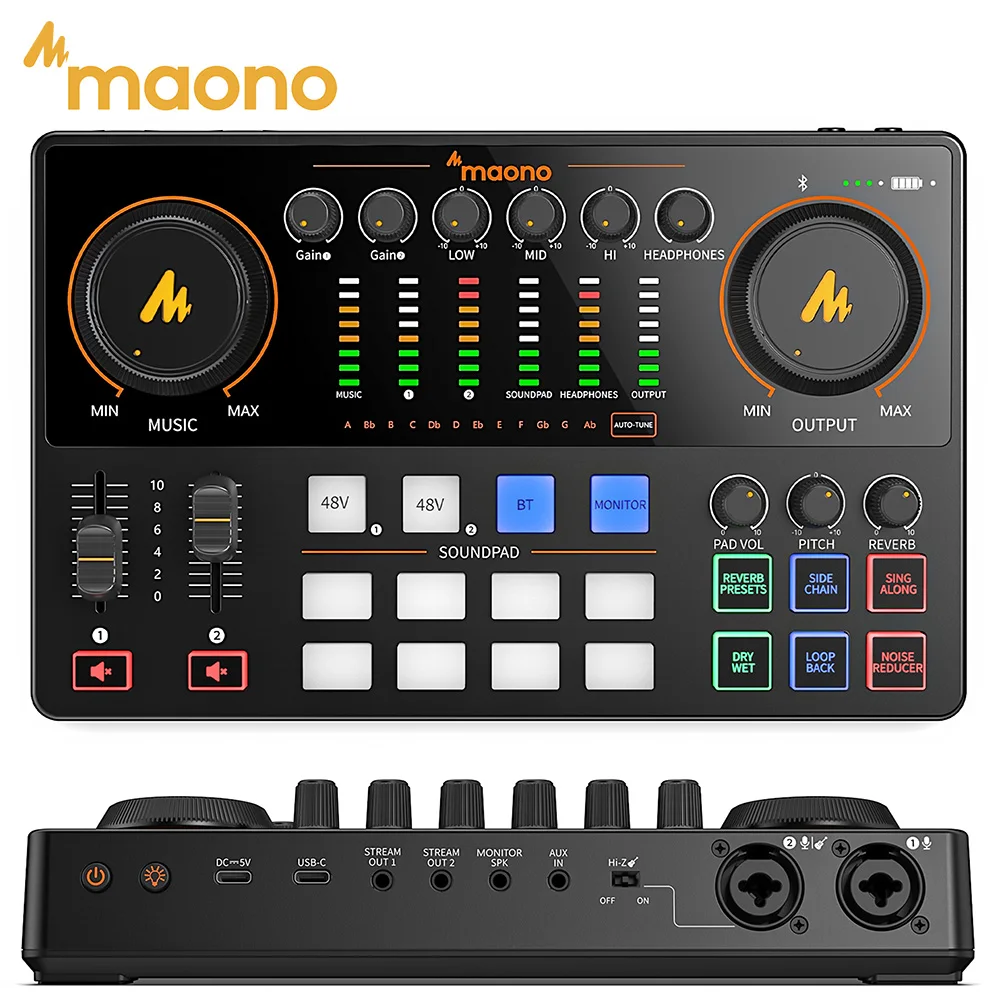
For live-streaming, broadcast dialogue, and multi-host podcasting, traditional 2-channel studio interfaces lack dedicated live routing controls. The MaonoCaster E2 Gen2 is marketed specifically as an all-in-one mixer and audio interface, featuring dual XLR inputs for multi-host conversations and live-streaming controls.
Practical fit: Broadcasters, live streamers, and podcast hosts needing physical knobs, tactile surface controls, and dual XLR mic connectivity in one box. Limitations to check: All-in-one broadcast mixers prioritize live routing and DSP voice features over transparent, high-headroom tracking for acoustic instruments. Verify whether inputs provide independent gain stages and how line-level routing interfaces with your specific broadcast software.
Essential Home Demo Tracking: MAONO PS22 Lite
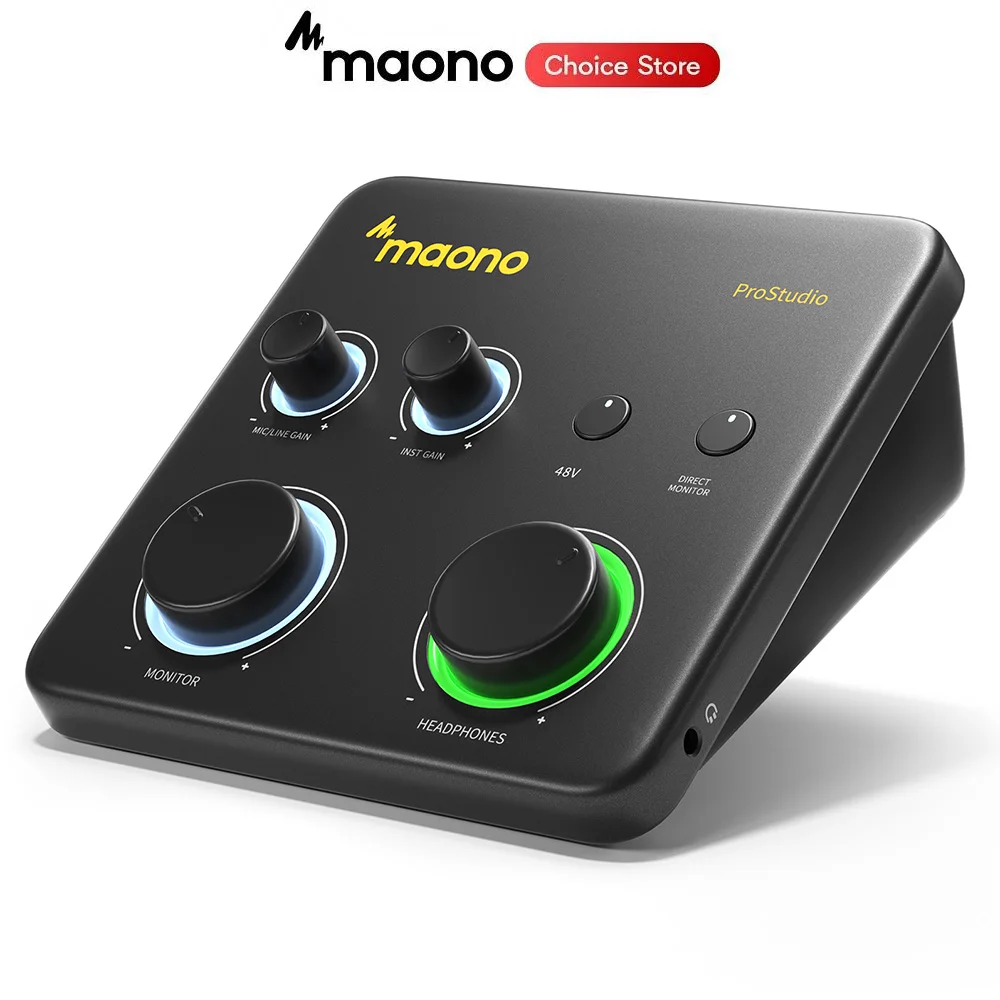
The MAONO PS22 Lite is built as a portable USB audio interface tailored for PC users, guitar tracking, and basic DAW integration. It provides an XLR input for microphones alongside instrument inputs, marketed specifically for musicians who need a direct DAW connection without complex routing software.
Practical fit: Solo creators tracking voiceover, rough guitar demos, or basic vocals into a software DAW. Limitations to check: Ensure the unit features native or stable ASIO drivers for low-latency monitoring during active tracking sessions on Windows or macOS, and confirm whether headphone and monitor outputs offer separate physical volume pots.
Ultra-Budget Utility: TEYUN Q12
Priced at the absolute entry tier, the TEYUN Q12 is advertised as a mini 2-channel USB console and sound card designed for guitar recording, home singing, and casual PC audio input.
Practical fit: Back-up audio input, casual voice chat, scratchpad song ideas, or low-stakes home practice setups where budget is the only deciding constraint. Limitations to check: At entry-tier price points, preamps frequently exhibit high equivalent input noise (EIN) when pushed past mid-gain. Headroom on instrument inputs may clip hotter active guitar pickups. Treat the stated claims with caution and confirm whether it uses class-compliant generic USB codecs or dedicated low-latency drivers.

Specification & Feature Comparison
| Model | Stated Input Layout | Advertised Resolution | Phantom Power (48V) | Primary Use Case |
|---|---|---|---|---|
| BOMGE U202-P | XLR / TRS / TS Combo | 32-Bit / 192kHz (Claimed) | Stated (48V) | Music tracking, home demo DAW capture |
| MaonoCaster E2 Gen2 | Dual XLR Inputs | Not verified | Check documentation | Podcasting, broadcast streaming, multi-mic dialogue |
| MAONO PS22 Lite | XLR + Instrument Input | Not verified | Check documentation | Solo acoustic/electric tracking, content creation |
| TEYUN Q12 | 2 Channels (Guitar/Mic) | Not verified | Check documentation | Budget scratchpad recording, basic gaming audio |
Note: Data based solely on marketplace listing descriptions. Unlisted specifications ("Not verified") should be confirmed with official documentation or seller support.
Buyer's Checklist: Questions to Ask Before Ordering
- Are dedicated ASIO drivers provided? On Windows systems, generic USB audio class drivers (like generic MME or DirectSound) frequently cause high latency (lag) while tracking in DAWs. Check if the manufacturer offers an official, regularly updated ASIO driver.
- Is direct monitoring hardware-based? If your interface does not have a physical switch or knob for direct zero-latency monitoring, you will hear a distracting echo in your headphones when monitoring through computer software.
- Does it supply full +48V phantom power? Some ultra-low-power USB boxes deliver lower voltages (such as 12V to 24V), which can starve standard studio condenser mics of headroom or cause them to underperform entirely.
- What is the headphone amplifier impedance rating? If you use high-impedance studio headphones (e.g., 250 ohms or higher), low-powered entry-level USB bus-powered interfaces may struggle to output adequate listening volume.